> For the complete documentation index, see [llms.txt](https://support.morozovpimnev.ru/llms.txt). Markdown versions of documentation pages are available by appending `.md` to page URLs; this page is available as [Markdown](https://support.morozovpimnev.ru/kroner/dobavlenie-zadachi.md).

# Добавление задачи

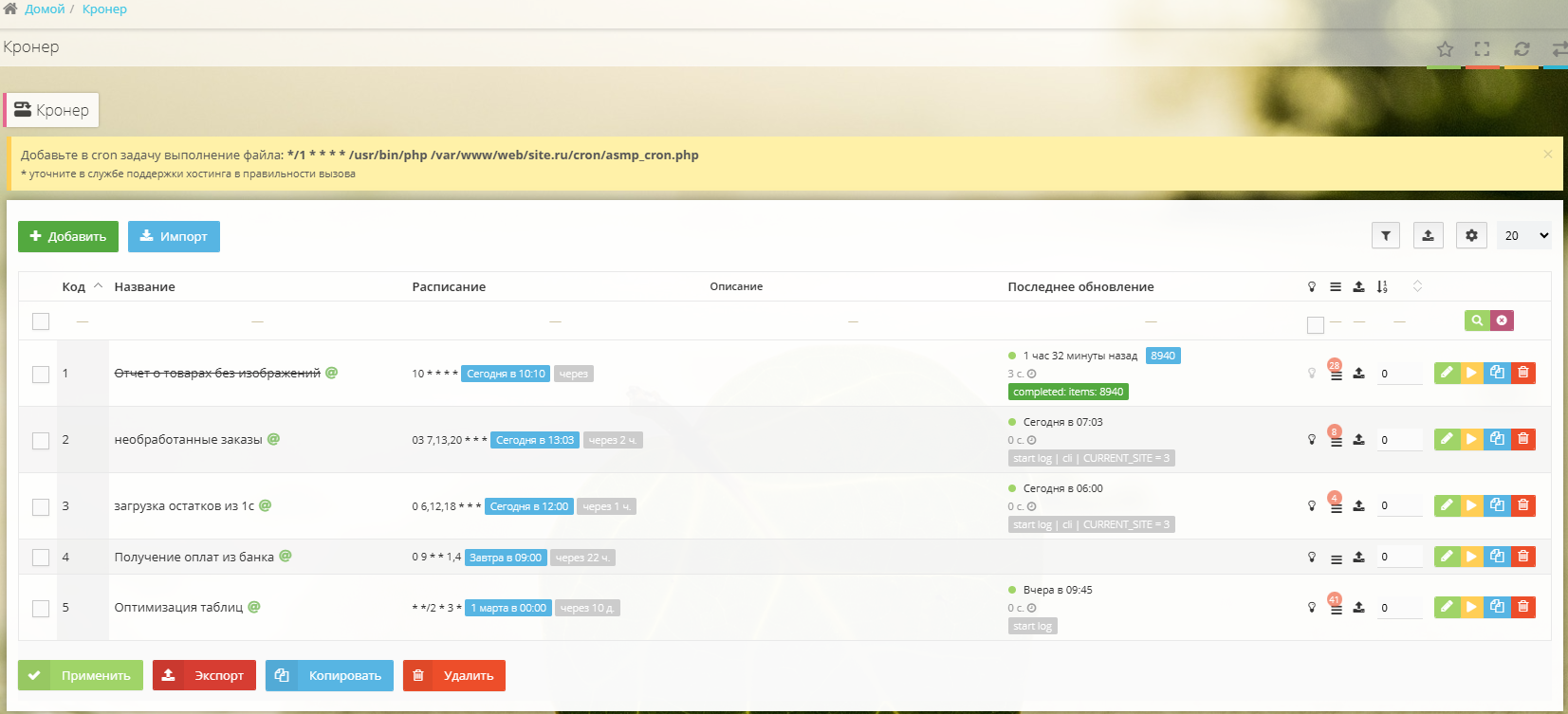
В ЦА сайта переходим в раздел **Инструменты** → **Кронер** → **Добавить**.

<div data-full-width="true"><figure><img src="/files/3mPjozpRKvrHE1hQQ3yJ" alt=""><figcaption></figcaption></figure></div>

{% hint style="danger" %}
**\*Внимание! Если задача очень тяжёлая и выполняется более 30–60 с, не рекомендуем её запускать из ЦА вручную.**
{% endhint %}

## Вкладка «Основные»

<div data-full-width="true"><figure><img src="/files/lmAAzXlfYIYFIZbfEmJg" alt=""><figcaption></figcaption></figure></div>

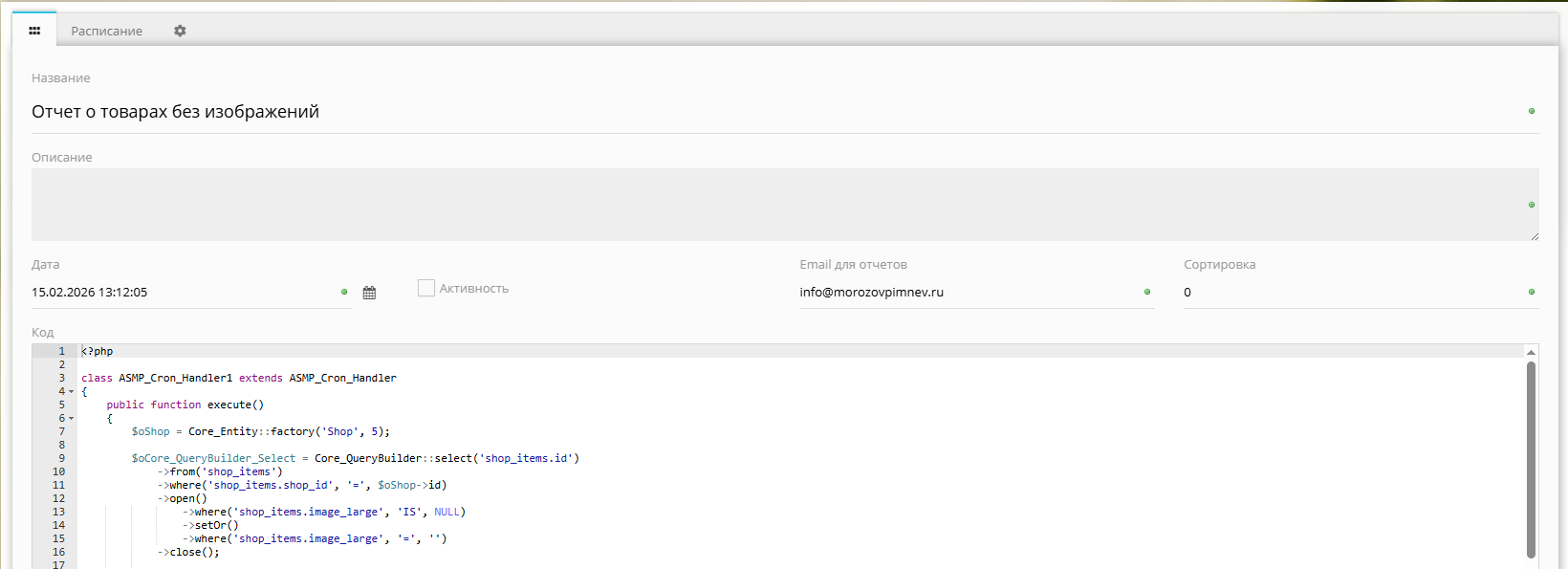
* ***Название*** *— произвольное название задачи (тема письма)*
* ***Описание*** *— произвольное описание задачи (комментарий)*
* ***Дата*** *— дата создания задачи*
* ***Активность*** *— активность задачи*
* ***Email для отчётов*** *— после завершения задачи отчёт будет отправлен на указанный e-mail (несколько e-mail указываются через «запятую»)*
* ***Сортировка*** *— текущая сортировка задачи*
* **Код** — код выполняемой задачи

## Вкладка «Расписание»

<div data-full-width="true"><figure><img src="/files/unFIKjatpFvTBYFDkIfE" alt=""><figcaption></figcaption></figure></div>

Настройка расписания выполнения задачи.

Расписание состоит из **5 временных диапазонов**:\
МИНУТЫ ЧАСЫ ДЕНЬ МЕСЯЦ ДЕНЬ НЕДЕЛИ

Например:\
**Каждую минуту** — выполняет задачу каждую минуту в часе (Unix-значение \*)\
**Каждые N минут** — выполняет задачу каждые N единиц. Например, если задано 15 мин, то будет выполняться в 00, 15, 30, 45 минут каждого часа (Unix-значение \*/15)\
Задать минуты — можно задать диапазон 5–15 (выполняется в любую минуту каждого часа с 5 по 15) или перечисление 5,10,15 (выполняется в 5,10,15 минут каждого часа)

Аналогичные настройки с часом и днем

Для Месяца и Недели можно выбрать только:

<figure><img src="/files/U8ja5Uq8KYy0Vdsu2mEX" alt=""><figcaption></figcaption></figure>

Каждый месяц/неделя\
В определенные месяцы/недели

---

# Agent Instructions
This documentation is published with GitBook. GitBook is the documentation platform designed so that both humans and AI agents can read, navigate, and reason over technical content effectively. Learn more at gitbook.com.

## Querying This Documentation
If you need additional information that is not directly available in this page, you can query the documentation dynamically by asking a question.

Perform an HTTP GET request on the current page URL with the `ask` query parameter, and the optional `goal` query parameter:

```
GET https://support.morozovpimnev.ru/kroner/dobavlenie-zadachi.md?ask=<question>&goal=<endgoal>
```

`ask` is the immediate question: it should be specific, self-contained, and written in natural language.
`goal` is optional and describes the broader end goal you are ultimately trying to accomplish on behalf of the user. GitBook uses it to tailor the answer towards what is most useful for that goal.

The response will contain a direct answer to the question and relevant excerpts and sources from the documentation.

Use this mechanism when the answer is not explicitly present in the current page, you need clarification or additional context, or you want to retrieve related documentation sections.